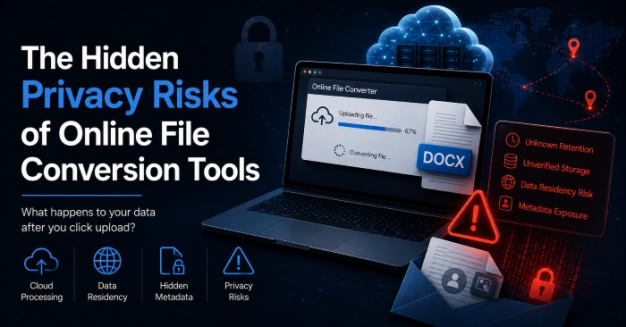
Organizations invest heavily in perimeter security, email filters, and data loss prevention platforms to protect corporate communications. Yet, employees frequently bypass those controls when they encounter an incompatible file format. Trying to keep work moving, an employee drops an email attachment into a random online file conversion utility.
This guide examines the security and privacy implications of using third-party conversion services for business documents, and outlines a practical evaluation framework for IT and security leaders.
The Hidden Lifecycle of an Uploaded Attachment
When an employee uploads a document to an ad-hoc conversion service, the file enters a backend processing pipeline that rarely comes with clear operational guarantees. Understanding what happens to data after it leaves the corporate perimeter requires analyzing its lifecycle.
Uncertain Retention Periods
Many ad-hoc conversion platforms lack structured data lifecycle policies. Files may be purged within minutes, or they may sit indefinitely in temporary cloud storage buckets awaiting manual cleanup scripts.
Persistent vs. Volatile Storage
In the traditional server-side architecture, incoming files are written directly to disk in order to run translation scripts. Storage volumes are still a persistent target for accessing residual files, poorly configured, under-encrypted, and under-monitored.
Data Residency and Compliance Exposure
Once you send a document that contains personally identifiable information (PII), protected health records, or proprietary financial figures to an unverified third party, you’re in violation of regulations like GDPR, HIPAA, or CCPA.
When considering a privacy-first file conversion solution, organizations should ask if uploaded attachments are permanently stored, how untrusted files are isolated, and when file data is deleted after processing.
Local vs. Cloud Processing Models
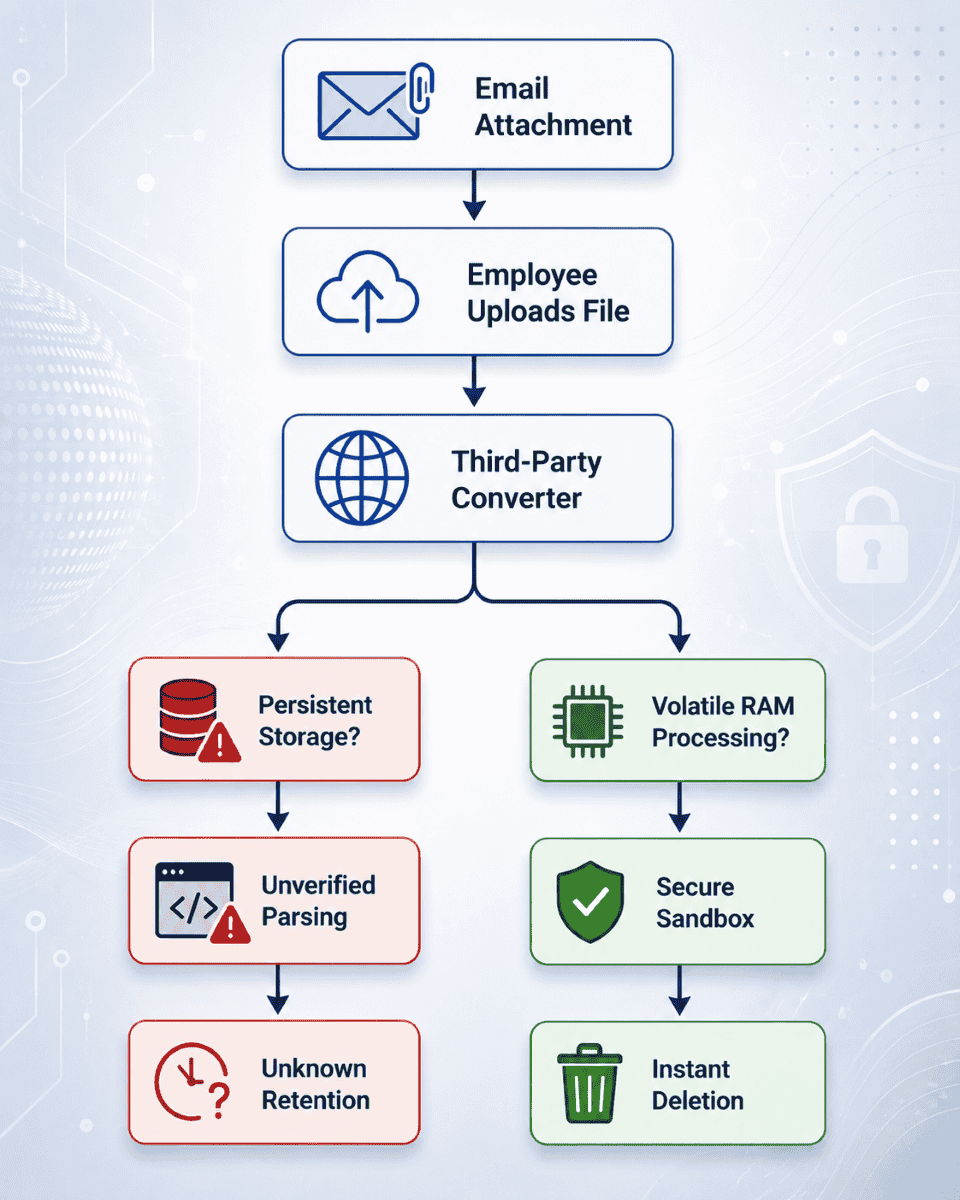
When assessing conversion tools, security teams must distinguish between two fundamentally different architectural models:
- Browser-Based Processing: Some modern services do the conversion entirely client-side using JavaScript or WebAssembly in the user’s browser. With this model, the file never leaves the endpoint device, completely eliminating the risks of storage and transmission in the cloud.
- Remote Cloud Processing: Traditional services upload files to external infrastructure for translation. This shifts the security burden entirely onto the vendor's server environment, requiring strict validation of how data is handled in transit and at rest.
Hidden Metadata Risks in Uploaded Documents
Beyond the visible text and layout of a file, email attachments carry substantial hidden metadata. When users upload business documents to external services, they often inadvertently expose:
- Usernames and internal system paths
- Author names and organization identifiers
- Hidden comments, track changes, and revision history
- Embedded GPS coordinates and device hardware signatures within image attachments
Malicious Document Parsing and Conversion Attack Surfaces
File conversion is computationally demanding. To transform a complex document structure into another format, a server must parse internal code objects, decompress nested layers, and interpret custom markup tags. This parsing process creates a significant security vector.
Decompression Bombs
A deceptively small compressed archive can expand exponentially when parsed, consuming server memory and triggering denial-of-service (DoS) conditions.
Malformed Document Parsing
Office suites and PDF formats are structurally complex. Flaws in third-party rendering or conversion libraries can be exploited by specially crafted files designed to trigger memory corruption or arbitrary code execution.
Network-Reaching Parsers
An insecure parser resolving external references such as remote images or embedded XML external entities (XXE) could inadvertently reveal internal metadata, cause server-side request forgery (SSRF), or reach out to external command-and-control infrastructure.
Building a Practical Vendor-Due-Diligence Framework
Security leaders need more than high-level privacy policies to assess external tools that handle business records. Assessing third-party infrastructure requires an evidence-based approach:
Evaluation Question | Why It Matters |
Are files written to persistent disk storage? | Determines whether residual copies may remain accessible after processing. |
How is data deleted? | Helps assess exposure timelines and sanitization practices after conversion. |
Are parsers sandboxed? | Limits potential system compromise if a document parser is exploited. |
Can processing reach the network? | Prevents server-side request forgery, XXE attacks, and metadata leaks. |
What evidence supports security claims? | Verifies marketing assertions with independent technical proof or audits. |
Controls for Employees Handling Email Attachments
Policy memos instructing staff "do not use unauthorized web tools" rarely succeed without addressing the root cause: operational friction. Organizations can mitigate these risks through a structured internal strategy:
Provide Approved Alternatives
If teams frequently require format conversion, provision secure, organization-controlled utilities or browser extensions that handle processing locally or through vetted enterprise channels.
Train Employees on Contextual Risk
Train staff to recognize that business email attachments—particularly those containing intellectual property, credentials, or personal data—carry the same sensitivity classification as secure cloud storage files.
Monitor Upload Activity
Use endpoint detection tools and cloud access security brokers (CASBs) to flag unauthorized web uploads of sensitive document types.
The Boundary Between Conversion Security and Email Filtering
Secure file conversion controls complement, but do not replace, robust email security architecture.
Email gateways and attachment analysis tools focus on threat prevention—intercepting malware, blocking credential harvesters, and sandboxing incoming payloads before they reach an employee's inbox. Conversion security, on the other hand, deals with the privacy of data and structural containment after a document is already trusted or used for operational purposes.
Data Integrity means protecting both perimeters – keeping malicious files out of the inbox with rigorous gateway filtering and making sure confidential corporate data doesn’t land in the hands of unverified third parties by demanding complete transparency in how files are parsed, processed, and destroyed.


 NEXT
NEXT 
Other FAQs
- Exploring Malicious Code Risks: Strategies for Email Safety
- Proven Strategies for Effective Malware Removal on Windows Computers
- Why Outsourcing Email Security is Critical for Modern Businesses
- Comprehensive Guide to Safeguarding Against Domain Spoofing Threats
- Effective Strategies to Combat Insider Threats in the Workplace
- Strategies for Email Authentication to Counter CEO Impersonation
- Critical Factors for Selecting Email Security Solutions in Business
- Harnessing Managed Security Services for Enhanced Cybersecurity Vigilance
- Effective Penetration Testing Techniques for Cybersecurity Enhancement
- Managed SIEM Solutions: Boosting Email Security for Small Businesses

Join Our Community
of Readers!