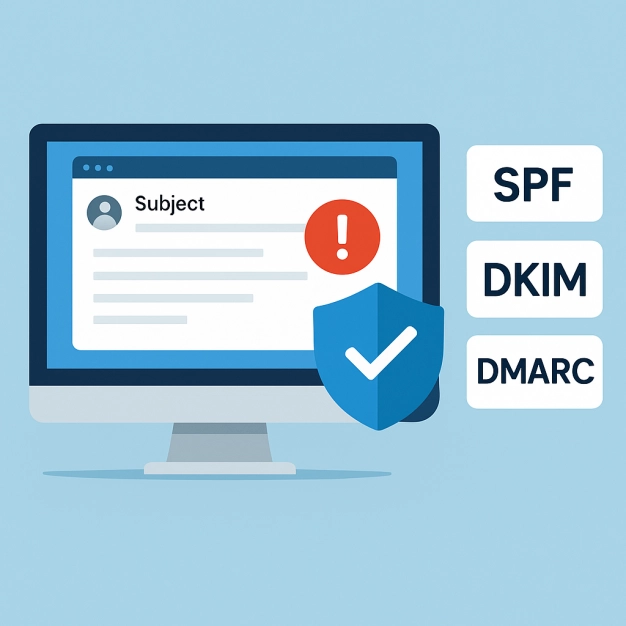
Email deliverability tends to come down to authentication more than anything else. Messages don’t usually fail because of content alone. They get filtered because the sending domain doesn’t fully check out.
One of the first places this shows up is in your SPF (Sender Policy Framework) record. If it’s incomplete or out of sync with your DMARC (Domain-based Message Authentication, Reporting & Conformance) policy, mailbox providers have less confidence in your mail, and that affects where it lands.
When SPF and DMARC are working together, that uncertainty drops. Your domain becomes easier to verify, spoofing becomes harder, and placement becomes more consistent.
In this guide, we’ll examine how checking your SPF records and aligning them with DMARC can optimize your email authentication, decrease bounce rates, and improve your chances of landing in the inbox quickly.
Why SPF Record Checks Matter: SPF vs DMARC, and How Alignment Boosts Inbox Placement
SPF on its own only tells part of the story, and its impact on deliverability becomes clearer when it’s evaluated alongside DMARC and DKIM.
SPF vs DMARC and DKIM: Complementary Controls
Sender Policy Framework is the foundational email authentication protocol that tells receiving servers which hosts are authorized senders for your domain name. An accurate, audited SPF record inside your DNS records improves email deliverability by filtering legitimate traffic from abuse. DMARC layers policy and reporting on top of SPF and DKIM to enforce alignment and provide visibility.
DKIM signs messages with cryptographic keys published as a TXT record, while DMARC evaluates whether SPF or DKIM passes and aligns with the visible From domain. In practice, a disciplined SPF check combined with DMARC policy and DKIM signing delivers the best spam prevention, fraud prevention, and phishing resilience.
Alignment Explained: Return-Path and From Domain Name
DMARC alignment with SPF focuses on the envelope sender, also called the Return-Path or bounce address. For a pass, two things must happen:
- The SPF check must pass for the MAIL FROM or HELO identity.
- The evaluated identity must align with the message’s From header domain name (relaxed or strict).
If your email domain uses multiple third-party email sources, each sending platform’s bounce domain must align with your organizational domain to satisfy DMARC via SPF.
Relaxed vs Strict Alignment Under DMARC
- Relaxed: The Return-Path subdomain (e.g., mail.example.com) can align with the organizational domain (example.com).
- Strict: The Return-Path must exactly match the From domain name.
Deliverability Impact: Reputation and Security
Mailbox providers reward consistent email authentication. Routine SPF validation, DMARC policy enforcement, and DKIM signatures reduce ambiguity, helping with email source identification and reputation scoring. This translates into:
- Higher inbox placement and measurable gains in email deliverability
- Fewer false positives during filtering
- Stronger defenses against phishing that exploits your brand
Anatomy of an SPF Record: Mechanisms, Qualifiers, and How DNS Evaluation Works
Core Components and SPF Syntax
An SPF record is a TXT record published at the root or a subdomain that starts with v=spf1 and lists authorized senders. Correct SPF record syntax ensures parsers recognize your policy. Example:
v=spf1 ip4:192.0.2.0/24 include:mail.example.net -all
Key parts:
- Mechanisms (ip4, ip6, include, a, mx, exists, ptr) define how evaluators match IP addresses.
- Qualifiers (+, -, ~, ?) determine pass, fail, softfail, or neutral.
- Modifiers such as redirect= and exp= add behavior or explanations.
Accurate SPF syntax lets an SPF validator parse and apply your policy consistently across providers.
SPF Mechanisms and Modifiers You’ll Use
- a, mx: Authorize hosts that resolve from A/AAAA or MX DNS records. Careful: each can trigger DNS lookups.
- ip4/ip6: Explicitly list netblocks, avoiding extra recursion and improving SPF validation speed.
- include: Delegate authorization to a vendor’s SPF record; watch the DNS lookup limit.
- exists: Advanced mechanism for dynamic authorization.
- redirect= modifier: Point a subdomain’s policy to a central record.
- exp= modifier: Human-readable explanation for failures.
How Evaluators Process DNS Queries and SPF Lookups
Receivers perform a DNS query for the domain’s SPF record, then run an SPF lookup for each mechanism, accumulating DNS lookups. The standard caps evaluation at 10 DNS lookups. If record flattening is used, vendor includes are replaced with literal IP addresses or ranges to reduce recursion.
However, flattening must stay current as vendors rotate IPs. When DNS records are well-structured, and your SPF record stays below the 10 DNS lookups ceiling, you minimize timeouts and transient SPF validation errors.
Typical SPF Errors and SPF Validation Errors
- SPF record exceeds maximum lookups due to nested include chains
- Duplicate netblock authorization adds size and confusion
- Misplaced qualifiers or malformed SPF record syntax
- Using ptr or exists unnecessarily
A rigorous SPF record diagnostic catches these SPF errors before they affect production.
Perform an SPF Record Check Step-by-Step: Discovery, Validation, and Lookup-Limit Analysis
Start by looking at what’s actually published in DNS, since that’s what receiving systems evaluate first.
Discover Your Current SPF Record With Trusted Tools
Start with discovery:
- Run an SPF lookup for your organization and send subdomains.
- Use a diagnostic tool such as MxToolBox SuperTool, DMARCian’s SPF Surveyor, or your preferred SPF record checker.
- Confirm where the TXT record is published and list all authorized senders and IP addresses returned by any include directives.
This initial SPF check reveals what the world sees in DNS records and surfaces gaps between policy and reality.
Validate Configuration and Enforce Lookup-Limit Rules
Next, perform SPF validation with multiple parsers. Using an SPF validator can help confirm that DNS records are parsed consistently across different evaluation paths and highlight issues that may not appear during a basic lookup. An independent SPF validator helps verify that:
- SPF Record Verification: The SPF record is entirely valid, straightforward to parse, and consistently produces the anticipated outcomes when evaluated against all specified sending sources, providing dependable email authentication.
- Inclusion Chains and DNS Constraints: Each inclusion chain in the SPF record is meticulously crafted to adhere to the strict limit of 10 DNS lookups, thereby avoiding potential validation issues stemming from excessive queries.
- Lookup Limit Adherence: No segment of the SPF evaluation leads to exceeding the permissible limit of DNS lookups, ensuring alignment with SPF requirements and continuous email delivery.
- Defined Mechanisms: All SPF mechanisms are accurately confined to the documented netblock ranges of your service providers, reducing unnecessary risk and explicitly allowing only authorized sending servers.
- Elimination of Duplicate Authorizations: The SPF record ensures there are no repeated netblock authorizations, which not only keeps the record streamlined but also clarifies its intent and facilitates easier future updates.
If you’re over the limit, consider record flattening carefully or consolidating includes. Many platforms provide an SPF record diagnostic to show which mechanisms consume lookups.
Quick Lookup-Limit Checklist
- Count all a, mx, include, exists, and redirect-induced queries.
- Replace broad includes with vendor-specific sub-records when available.
- Prefer ip4/ip6 mechanisms for stable vendor ranges you control.
- Retest until the SPF validator confirms the SPF record is valid and efficient.
Map Authorized Senders and Confirm Email Source Identification
Complete a domain audit:
- Inventory every system that can send as your email domain, including marketing platforms, ticketing tools, CRM, and infrastructure.
- Ask each provider for their sending IP addresses and required include statements.
- Validate each source with a targeted SPF check and test mail to confirm email source identification and DMARC disposition.
This ensures your SPF record enumerates all authorized senders and prevents silent failures for third-party email sources.
Achieve DMARC Alignment With SPF: Align Return-Path With From, Custom Bounce Domains, and Third-Party Senders
To pass DMARC via SPF, align the Return-Path with your visible From domain name. Create a controlled bounce subdomain (e.g., bounce.example.com) and configure each platform to use that envelope-from. Where senders cannot customize the Return-Path, lean on DKIM to satisfy DMARC alignment instead. For vendors, provision branded envelope domains and include their published records via include, verifying with another SPF lookup.
When possible, publish vendor-specific sub-records that refer to documented netblock allocations, reducing excess DNS lookups. Use DMARC Inspector, DMARC Domain Checker, or a DMARC Management Platform to confirm alignment outcomes after each change. If DKIM is the chosen path, validate signatures with DKIM Inspector and DKIM Validator.
Platforms that offer a Delivery Center or similar console can expose per-sender alignment status, helping you iterate quickly on authorized senders and policy.
Monitor and Troubleshoot
Enable DMARC aggregate reports to see which sources pass SPF validation and align with your domain name across providers. Tools like DMARCian, MxToolBox, and other DMARC Management Platform offerings normalize data into accessible dashboards, sometimes labeled Domain Audit or Delivery Center, to track trends in email authentication.
Forwarding can break SPF because the forwarder’s IP addresses are not in your SPF record. When forwarding is unavoidable, rely on DKIM to carry authentication through, or deploy SRS at forwarders so the Return-Path is rewritten to an aligning domain. Re-test with an SPF validator after any routing changes.
Sending infrastructure doesn’t stay still for long. Vendors rotate IP ranges, change routing, or shift how they handle bounce domains, and those changes don’t always make it back into your SPF record right away. The record still passes a basic check, but the evaluation path starts to drift.
That drift usually shows up in small ways:
- A lookup chain gets longer than expected
- An include pulls in more than it used to
- A record starts sitting right at the 10 lookup limit
Nothing fails outright, but consistency starts to drop.
Flattening can help, but it introduces a different problem. The record becomes a snapshot of a moment in time. If it isn’t refreshed, it slowly falls out of sync with the services it was meant to represent. The same thing happens with unused mechanisms. They stay in place long after the system they were added to is gone.
Over time, most SPF records start to reflect layers of past decisions rather than the current state:
- New senders get added
- Old ones aren’t removed
- Includes the stack without being revisited
What looks complete on the surface starts to behave unpredictably during evaluation.
That’s usually when it becomes visible in DMARC data. Some sources align cleanly, others don’t. Some pass consistently, others depend on fallback behavior. The pattern isn’t random, but it takes a closer look at the record to see where it’s coming from.
Keeping SPF aligned with DMARC is less about adding more and more about keeping the record accurate to what is actually sending. When that alignment holds, authentication stays predictable, and so does delivery.


 PREVIOUS
 NEXT
NEXT 
Other FAQs
- Exploring Malicious Code Risks: Strategies for Email Safety
- Proven Strategies for Effective Malware Removal on Windows Computers
- Why Outsourcing Email Security is Critical for Modern Businesses
- Comprehensive Guide to Safeguarding Against Domain Spoofing Threats
- Effective Strategies to Combat Insider Threats in the Workplace
- Strategies for Email Authentication to Counter CEO Impersonation
- Critical Factors for Selecting Email Security Solutions in Business
- Harnessing Managed Security Services for Enhanced Cybersecurity Vigilance
- Effective Penetration Testing Techniques for Cybersecurity Enhancement
- Managed SIEM Solutions: Boosting Email Security for Small Businesses

Join Our Community
of Readers!