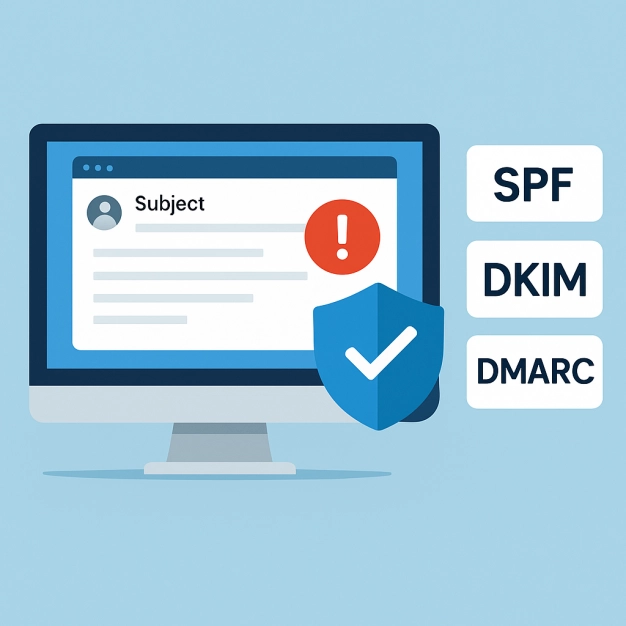
You can make your email safer and more compliant in a short period of time using a reliable DMARC lookup tool.
Email is still one of the finest methods for companies to get in touch with their customers. But that trust makes it an excellent target for cybercriminals. Every day, people fool each other, act as someone else, and spoof in email. Sending one phony email from your domain might damage your reputation and put confidential information in danger.
You require DMARC, which stands for Domain-based Message Authentication, Reporting, and Conformance. A decent DMARC lookup tool checks your domain's DMARC, SPF, and DKIM settings to make sure that only validated emails are forwarded to your recipients. This makes things easier.
Businesses may simply check to verify whether their domain has been verified using the correct technologies. They can detect and correct security flaws in their domain's setup, prevent those who shouldn't be able to access it from doing so, and more. What happened? More protection for your brand and higher placement in the inbox for legitimate emails. Automated checks and reports that are simple to understand help teams keep a watch on email systems, sender rules, and phishing issues that are becoming worse.
DMARC search tools are useful for more than simply security immediately. They are also vital for getting others to trust you and making sure you obey the regulations in the end. They assist firms in keeping up with the latest policies, guidelines, and standards for keeping data secure in the cybersecurity field. Businesses safeguard their clients, maintain their good online reputation, and keep their settings and authentication reports up to date by monitoring them often. When you employ a decent DMARC lookup tool, email authentication is more than simply a technical checkbox. It's a long-term strategy to create trust online that follows the rules.
What DMARC Is and Why It's Important
Domain-based Message Authentication, Reporting, and Conformance (DMARC) may help you tell whether an email is legitimate. DomainKeys Identified Mail (DKIM) and Sender Policy Framework (SPF) are two more standards that it is built on. The major goal of this is to enable domain owners to choose what to do if they can't confirm an email. You set the rules for mail servers. This might include blocking, monitoring, or separating communications that don't function. This is highly crucial to preventing email spoofing, phishing, and pretending to be someone else's domain.
A TXT file in your domain's DNS has a DMARC entry. It makes sure that the domain in the "From" field of an email header is the same as the domains that your SPF and DKIM settings have already validated. This method for aligning things makes it considerably less likely that phishing emails will succeed. It also stops actual emails from being deleted or classed as spam.
You may now access DMARC's amazing reporting tools. You may use aggregate reports to see how well all the servers that receive email from your domain are checking who they are. Forensic reports contain additional information about each failed authentication and explain them in greater depth. A lot of the time, individuals who read these publications learn how to modify the settings on their mail servers to make email safer in general.
How to Use a Tool for DMARC Lookups
You may use a DMARC lookup tool to handle DNS queries for you. When an email administrator, domain owner, or security analyst uses the tool to look for anything, it sends a DNS query to acquire the DMARC TXT record and any SPF and DKIM records that go with it. Then it takes the raw protocol specifics and converts them into clear, usable information about the rules for sending emails from your domain.
A decent DMARC analyzer can do more than simply collect data. It checks that the domain's DKIM signatures and SPF records are accurate. It also figures out what the policy directions imply. If you see "none," simply watch. You should flag communications that seem suspicious for screening if you see "quarantine." If you notice "reject," you should stop any emails that haven't been authenticated at the gateway level.
Many of these solutions also function with DMARC reporting systems and email checking providers. This makes it easy to detect fraud and stay away from phishing. Real-time dashboards and notifications help you understand complicated DNS data. Dmarcian, EasyDMARC, and Valimail are three of the top services that provide sophisticated DMARC analysis to assist domain owners in keeping their authentication rules robust.
Why your company needs a DMARC lookup tool
Businesses can stop some of the methods that attackers may spoof by setting up DMARC records appropriately. This protects the brand's good reputation since consumers and staff are less likely to be tricked.
Following the rules is easy. It's easy to comprehend and follow the DMARC standards for "quarantine" and "reject." You may use tools to examine how your sender policy will perform on mail servers and email gateways all across the globe.
More dependable delivery of emails
If you set up your SPF and DKIM records properly and make sure they integrate with your DMARC settings, it will appear like your domain is a more trustworthy sender. This implies that more of your real emails will go through and not be stopped.
Full reporting and viewing
Domain owners may learn a lot about failed logins from forensic and aggregate data. You may always look at the mail server's settings and correct issues before they arise.
Following the regulations and establishing a successful business
By automating DNS searches, compliance teams can follow government guidelines and the best methods to keep computers secure. It also helps individuals read emails properly.
Companies like Guardian Digital provide larger email security suites that may help organizations feel safer and more in control.
How to Find a DMARC
- Find out what your domain name is. To begin, you must enter the website's fully qualified domain name (FQDN). This email domain is used frequently by your firm.
- Choose a DMARC lookup tool that works. Choose a trustworthy DMARC analyzer like EasyDMARC, Dmarcian, or Valimail. Some of these tools also look at SPF and DKIM data to offer you a full view of your authentication.
- Look at DNS. The program looks at the TXT DNS record at ".dmarc.yourdomain.com" to see how you want your policy to function, where you want reports to go, and how your emails should line up.
- Look at the various portions of the DMARC data. For both aggregate and forensic reports, check the rua/ruf reporting URLs. Also, make sure that the policy directive (none, quarantine, or reject) and the SPF/DKIM alignment are set to stringent or loose.
- Check the DKIM and SPF settings. To check that SPF records contain the necessary mail transfer agents and DKIM signatures are set up correctly, use the same or equivalent tools.
- Look at the outcomes and read the reports. Look at the forensic and aggregate reports that were sent to the addresses you specified to determine if there is any evidence of odd activity or trouble with authentication.
- Slowly make the regulations harsher. Change "none" to "quarantine" to "reject" when your email system is more dependable.
- Make sure that DNS propagation is functioning. Check that the records were sent out successfully after you make modifications. This will close any holes in enforcement that an attacker may be able to use.
- Always keep an eye out. To make your sender policy better and detect new dangers before they become huge issues, use DMARC reporting tools a lot.
Choosing the Best DMARC Lookup Tool
You need to choose the correct tool to get the most out of DMARC record verification and email authentication. To start, do the following:
- Full DNS querying: The tool has to be able to retrieve and verify DMARC, SPF, and DKIM records all at once to present a complete picture of authentication.
- User-Friendly Interface: IT administrators and security specialists can easily grasp the information since it clearly exposes email headers, policy enforcement status, and alignment metrics.
- Integration With Email Security Suites: It's simple to keep an eye on since it works with Google Postmaster Tools, Microsoft 365, and your existing email services. It also works nicely with programs that secure email.
- Strong Reporting and Alerts: powerful reporting capabilities that provide you with both forensic and aggregate data. This helps administrators spot email fraud before it happens.
- Automated Policy Recommendations: Smart recommendations on whether to move from "none" to "quarantine" or "reject" without preventing genuine emails from coming in.
- Scalability across many domains: This is highly significant for firms that have more than one domain and need to look at each one in a different manner.
- Data Privacy and Compliance: Make sure that the DMARC reports and aggregate data you acquire from third-party providers like Return Path or Agari meet the requirements for keeping data secure.
Valimail and Dmarcian are the finest in the field since they provide email security solutions that include full-featured DMARC analyzers and the ability to keep an eye on policy enforcement. Both Barracuda Networks and Proofpoint offer gateway systems that come with DMARC lookup tools. This enables individuals to rapidly halt bogus emails and check their mail server settings. Domain owners may use EasyDMARC and other services to make sure that their email rules are being followed, that DNS updates are functioning, and that their TXT DNS entries are accurate.
With the correct DMARC search tool, you may be able to do more than simply see how your domain is presently confirmed. It preserves high email delivery rates, fills in phishing gaps, and makes your company's overall cybersecurity better throughout the whole email ecosystem.


 PREVIOUS
 NEXT
NEXT 
Other FAQs
- Exploring Malicious Code Risks: Strategies for Email Safety
- Proven Strategies for Effective Malware Removal on Windows Computers
- Why Outsourcing Email Security is Critical for Modern Businesses
- Comprehensive Guide to Safeguarding Against Domain Spoofing Threats
- Effective Strategies to Combat Insider Threats in the Workplace
- Strategies for Email Authentication to Counter CEO Impersonation
- Critical Factors for Selecting Email Security Solutions in Business
- Harnessing Managed Security Services for Enhanced Cybersecurity Vigilance
- Effective Penetration Testing Techniques for Cybersecurity Enhancement
- Managed SIEM Solutions: Boosting Email Security for Small Businesses

Join Our Community
of Readers!