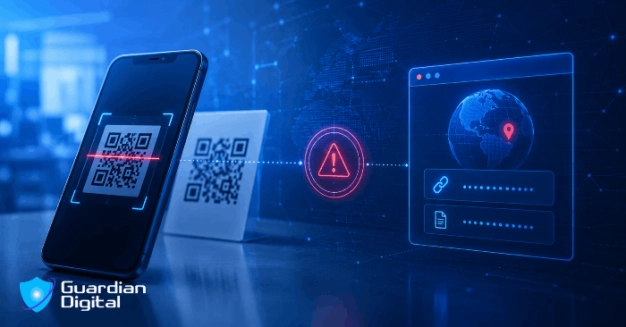
On April 30, 2026, Microsoft released its Q1 email threat landscape report — numbers drawn from telemetry across 8.3 billion email-based phishing threats detected between January and March. Eight point three billion. The headline figure is almost too large to mean anything in practical terms, so here's the number that actually matters: QR code phishing grew 146% over that same quarter.
January saw 7.6 million QR-based attacks. By March that figure had reached 18.7 million, and — this part is worth paying attention to — 70% of those attacks were embedded inside PDF attachments by that point. Microsoft called it the fastest-growing phishing vector in at least a year.
That growth isn't happening in spite of improved defenses. StrongestLayer published threat intelligence in February 2026 after analyzing roughly 200 quishing attacks that had successfully bypassed Microsoft Defender E3/E5 and leading email security platforms before being caught. Between August and November 2025, successful quishing incidents grew fivefold — from around 46,000 per month to 250,000 — while every major vendor was actively rolling out QR-specific detection capabilities. So the defenses improved and the attack volume grew anyway. That tells you something important about what's actually going on here.
Why QR Codes Keep Getting Through
Standard phishing drops a malicious URL directly in the email body. Default email security features have been built and refined over the last fifteen years to catch exactly that — text parsing, link extraction, reputation feeds, sandbox analysis. And they do catch it, reasonably well, against commodity campaigns. 
Quishing breaks that entire pipeline at step one. The malicious URL isn't in the text. It's encoded inside an image — a pattern of squares that, to a text-based filter, is just an image attachment. No link to extract, nothing to check, nothing to sandbox. The email arrives looking completely clean.
Some email security can decode QR images and check the embedded URL, which is good — except attackers adapted fast. By January 2026, 12% of quishing attacks were using QR codes rendered in ASCII text characters rather than actual images, which defeats image analysis entirely. Others use distorted or animated codes that human eyes can still read, but OCR fails to decode reliably. And CAPTCHA-gated landing pages — increasingly common in these campaigns — prevent sandbox environments from ever reaching the actual credential-harvesting page, even in cases where the URL does get extracted. Each new defensive layer has found a workaround within months. That's the cycle.
There's a second structural problem that doesn't get talked about enough. After the victim scans the code, the attack moves to their personal phone — off the managed laptop, off the corporate network, past the endpoint detection tools and DNS filters that would apply on a work device. By the time they land on the phishing page and enter credentials, every organizational security layer has been left behind. The scan itself is the bypass.
What These Attacks Actually Look Like
The lures are built to look routine. An email from what appears to be internal IT asking the recipient to re-verify their Microsoft 365 account — scan the code to complete the process. An HR notification requiring a scan to acknowledge a policy update. A voicemail claiming there's a pending message only accessible via the attached QR code. None of these feel unusual in a corporate environment where QR codes legitimately appear in meeting rooms, onboarding documents, and expense workflows. That normalization is not a coincidence — it's what makes the technique effective.
Targeting is far from random, and the numbers on this are stark. C-level employees were roughly 40 times more likely to receive a quishing attempt than the average employee in 2025 — 40 times. The energy sector has been hit hardest; one large US energy company found that 29% of over 1,000 emails it received contained malicious QR codes. And it's not only financially motivated criminal groups running these campaigns. The FBI issued a warning in January 2026 that North Korean state-sponsored threat actors — specifically the Kimsuky group, tracked as APT43 — were actively using quishing against US targets. A technique that started in criminal circles has been picked up at the nation-state level.
The Microsoft 365 Targeting Problem
Most quishing campaigns are built specifically around Microsoft 365. The credential-harvesting pages closely mimic Microsoft's login interface, and in many cases the attack chains quishing delivery with an adversary-in-the-middle proxy — the victim scans the code, lands on a reverse proxy sitting between them and Microsoft's real authentication servers, completes the full login flow including MFA, and has their session token captured before it reaches their browser.
The victim did everything right. Scanned a code, signed in as usual, approved the MFA prompt on their phone. And in doing so handed an attacker a fully authenticated session token. Understanding the full offensive mechanics behind these attacks — quishing delivery, session hijacking, the pretexting frameworks that make the lures convincing — is genuinely useful for defenders trying to model their actual exposure. This technical breakdown of phishing attack vectors covers the offensive side in depth.
BEC that follows quishing-based access is particularly damaging because it operates from inside a trusted account, inside real email threads, with a real display name. Messages about payment changes or contract approvals sent from a legitimate internal address read completely differently than anything arriving from outside the organization. Microsoft logged 10.7 million BEC attacks in Q1 2026 alone, with attackers consistently opening with simple conversational messages — "Are you at your desk?", that kind of thing — before making any financial request. The quishing compromise is frequently how they obtained the internal account to operate from.
What Defenders Can Do About It
Start by understanding what your email actually does with QR codes. The distinction that matters in practice is this: does it follow the full redirect chain to the final destination, or does it check only the URL extracted directly from the image? Most attacks route through clean intermediary URLs specifically to defeat the latter. Ask your vendor explicitly. And ask whether QR scanning covers PDF-embedded codes, because by March 2026, 70% of attacks were coming through attachments, not email bodies.
Conditional Access with compliant device requirements is probably the single most impactful control for limiting post-compromise impact. Requiring Intune-enrolled devices to access M365 means a session cookie replayed from an attacker's personal laptop fails the device compliance check — the stolen token stops working. It doesn't prevent the initial credential theft, but it eliminates most of the scenarios that follow.
Microsoft Defender for Office 365 Plan 2 Safe Links for QR added QR-specific scanning capabilities in response to the surge in quishing volume. If you're using Defender, verify it's actually enabled and configured to cover attachments — the default configuration often doesn't extend that far.
Mobile device management for any device that accesses corporate resources closes the gap that makes quishing possible in the first place. If users can reach M365 from personal phones, those phones are part of the attack surface. MDM enrollment or Intune Company Portal wrappers bring those devices inside the perimeter where Conditional Access and app protection policies apply.
User training needs to specifically address QR codes — not just generic phishing awareness, which doesn't transfer to this scenario. The conditioned behavior around links (hover before clicking, check the URL) doesn't apply to QR codes where the destination is invisible until after the scan. Training needs to install one specific habit: treat any unexpected QR code in a work email with the same skepticism as an unexpected link, especially when it creates urgency around account verification or credential re-entry. The voicemail lure and the fake IT compliance notice are the two dominant pretexts in active campaigns right now. Getting users to recognize those two scenarios by sight catches the majority of commodity campaigns.
Quishing keeps growing because the underlying gap hasn't closed. Vendors added QR scanning, attackers responded with ASCII-rendered codes, PDF embedding, and CAPTCHA gates. That adaptation cycle isn't slowing down.
The practical answer isn't a single control — it never is. It's narrowing the gap at multiple points simultaneously: gateway detection that follows full redirect chains, Conditional Access that makes stolen session cookies harder to exploit even after theft, and user training that's built specifically around QR codes rather than generic click-awareness that doesn't map to how these attacks actually work. None of this requires exotic tooling or significant investment. Most of it is configuration.


 PREVIOUS
 NEXT
NEXT 
Other FAQs
- Exploring Malicious Code Risks: Strategies for Email Safety
- Proven Strategies for Effective Malware Removal on Windows Computers
- Why Outsourcing Email Security is Critical for Modern Businesses
- Comprehensive Guide to Safeguarding Against Domain Spoofing Threats
- Effective Strategies to Combat Insider Threats in the Workplace
- Strategies for Email Authentication to Counter CEO Impersonation
- Critical Factors for Selecting Email Security Solutions in Business
- Harnessing Managed Security Services for Enhanced Cybersecurity Vigilance
- Effective Penetration Testing Techniques for Cybersecurity Enhancement
- Managed SIEM Solutions: Boosting Email Security for Small Businesses

Join Our Community
of Readers!