
A spear phishing attack is different because the attacker already knows who they want. The email lands at the right time, references real people, and usually fits into work the target was already doing. Finance teams see payment approvals. HR gets fake document shares. IT admins get security alerts that look close enough to Microsoft 365 to trigger muscle memory before suspicion kicks in. That’s why these attacks keep working.
Attackers do not need thousands of clicks anymore. In a lot of cases, they only care about one finance user, one executive assistant, or one employee with access to vendor payments. Once a mailbox gets compromised, the attack usually spreads quietly through forwarding rules, fake invoice threads, password resets, and internal impersonation before anyone realizes the account was being used by someone else.
What Is a Spear Phishing Attack?
A spear phishing attack targets a specific person inside an organization using emails built around real business activity. The attacker is not guessing randomly. They already know who they want to reach and usually understand enough about the company to make the request look normal.
Most of these attacks work because the email feels familiar before it feels suspicious. Most of the research comes from public sources that employees forget are public. LinkedIn profiles, vendor pages, conference bios, and even social posts about travel or ongoing projects can give attackers enough context to build a believable email. By the time the email arrives, they may already know:
- Who approves invoices
- which cloud platforms the company uses
- naming conventions for internal email addresses
- active projects or acquisitions
- executive travel schedules
The goal is simple. Make the request feel routine long enough for the victim to stop questioning it.
Many campaigns now combine credential harvesting pages with impersonation tactics, session hijacking, or malicious OAuth applications designed to survive password resets after compromise.
What Makes Spear Phishing Different
A normal phishing attack relies on volume. Attackers send enough messages that somebody eventually clicks. Spear phishing trades scale for accuracy.
The attacker already knows the recipient’s role inside the company. The email may reference a real supplier, an active contract renewal, or an executive currently traveling. Some attacks are pulled directly from existing email threads after an account compromise, which makes detection much harder because the conversation itself is legitimate.
That changes user behavior fast. People stop looking for warning signs once the message fits the expected business activity.
Why Phishing Attacks Are Increasing
Email still works. That’s the core reason.
Modern organizations run on cloud collaboration, remote approvals, mobile devices, shared vendors, and constant document exchange. Attackers don’t need sophisticated malware when employees already trust inbox-based workflows enough to move money, approve access, or share credentials through them every day.
AI has made the problem worse, mostly by removing friction from phishing operations. Poor grammar used to expose scams quickly. Now attackers generate clean business language in seconds, localize messages by region, and test variations automatically until response rates improve.
Some campaigns barely look malicious anymore. Attackers also lean heavily on trusted infrastructure now. Compromised Microsoft 365 tenants, Google Sites pages, Dropbox links, and legitimate cloud services help phishing attacks appear far more convincing than older scam campaigns.
The deceptive precision of spear phishing poses a significant challenge for individuals and organizations.
Despite advancements in cybersecurity technologies, detecting and thwarting these targeted attacks remains a complex task. As cybercriminals continue to refine their tactics and exploit evolving vulnerabilities, staying one step ahead of these threats requires a proactive and multifaceted approach to cybersecurity.
How Attackers Research Their Targets
Most spear phishing starts with reconnaissance, not exploitation.
Attackers map org charts through LinkedIn. They scrape conference bios, payroll vendor relationships, GitHub repositories, SEC filings, and social media activity. Finance and procurement teams get watched closely because invoice fraud still pays well.
In larger campaigns, criminals buy reused credentials from infostealer logs and correlate them against corporate email addresses. Even partial information helps. One exposed VPN password from an old breach can reveal naming standards, MFA methods, or internal tooling as attackers quietly probe authentication portals over time.
The technical side matters less than context. Attackers want to understand how employees normally communicate, so fake requests stop looking fake.
Common Targets and Industries
Healthcare, financial services, legal firms, manufacturing, education, and government agencies see constant spear phishing activity because they process sensitive records, payments, or regulated data daily.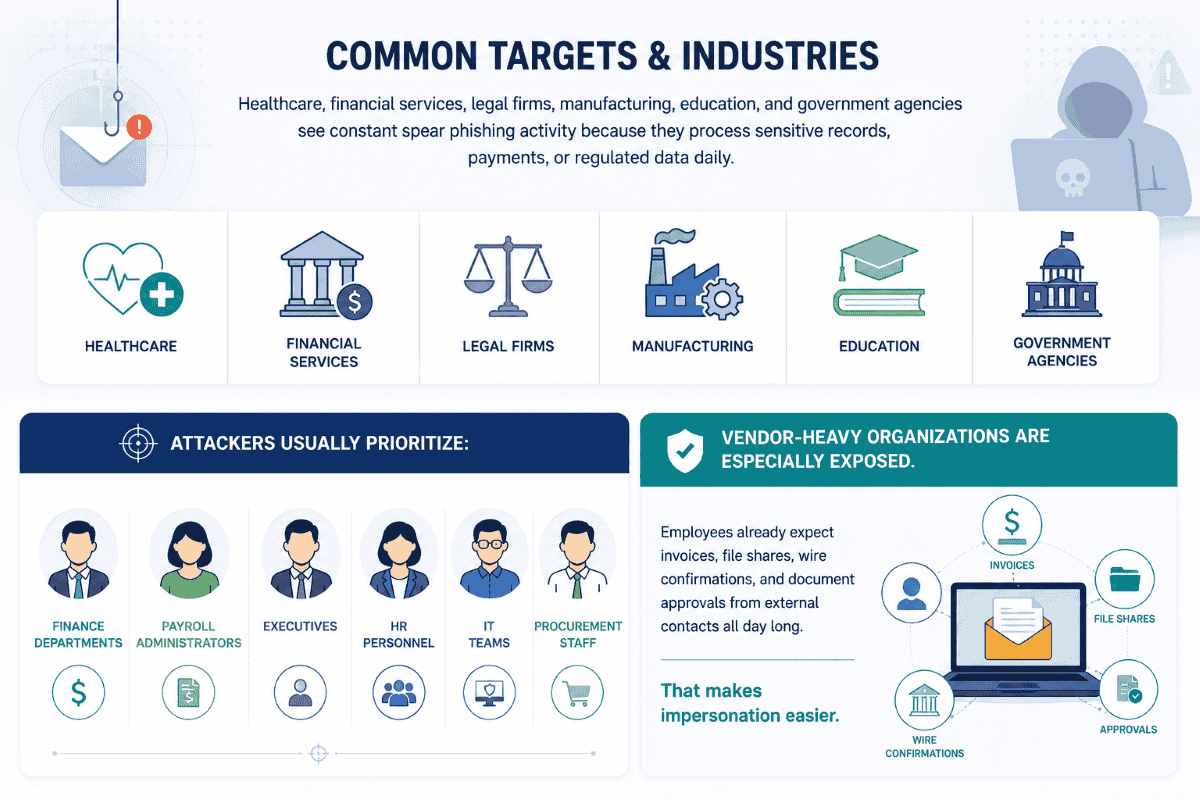
Attackers usually prioritize:
- finance departments
- payroll administrators
- executives
- HR personnel
- IT teams
- procurement staff
Vendor-heavy organizations are especially exposed. Employees already expect invoices, file shares, wire confirmations, and document approvals from external contacts all day long. That makes impersonation easier.
High-Profile Targets: Executives and VIPs
Executives remain attractive targets because they control sensitive data, financial approvals, and internal authority.
The email normally arrives during a busy window. End of quarter. Executive travel. Internal restructuring. Something already stressful. Attackers impersonate senior leadership and push employees to bypass normal verification procedures because the request appears urgent or confidential.
Most victims are not careless. They’re overloaded.
A finance employee rushing through approvals on mobile after hours is far more dangerous to a company than a perfectly trained user sitting calmly at a desktop reviewing headers line by line.
Domain Spoofing and Lookalike Domains
Attackers rarely need perfect impersonation. They only need enough visual similarity to survive a quick glance.
A lookalike domain might swap:
- lowercase “l” with uppercase “I”
- “o” with “0”
- Add regional suffixes
- insert extra characters into trusted brands
Mobile devices make this worse because sender details are compressed heavily inside mail clients. Users often approve requests based on display names alone.
Many of these campaigns also rely on email impersonation techniques designed to make fake requests appear internal or trusted.
How to Spot a Spoofed Email
The technical indicators still matter, even if the email looks polished.
Watch for:
- login pages hosted outside expected domains
- attachment types users don’t normally receive
- sudden payment urgency
- requests to avoid normal approval chains
- unusual MFA prompts
- subtle tone changes from known contacts
- reply-to mismatches hidden behind display names
Small inconsistencies usually show up somewhere. Attackers count on employees moving too quickly to notice them.
Incident Response: What to Do After an Attack
Speed matters more than perfection after compromise.
Reset credentials immediately. Revoke active sessions. Review mailbox forwarding rules. Check OAuth grants and MFA changes. Pull sign-in logs before retention windows disappear. If malware delivery is suspected, isolate affected systems early before investigators lose visibility into lateral movement.
A lot of organizations waste critical hours trying to confirm whether the phishing email was “really malicious.” Meanwhile, attackers are already expanding access quietly through synced cloud accounts and internal conversations.
Containment first. Investigation second.
How to Reduce Spear Phishing Risk
No single tool stops spear phishing completely. Organizations reduce exposure by layering controls together instead of relying on one filter or one training session.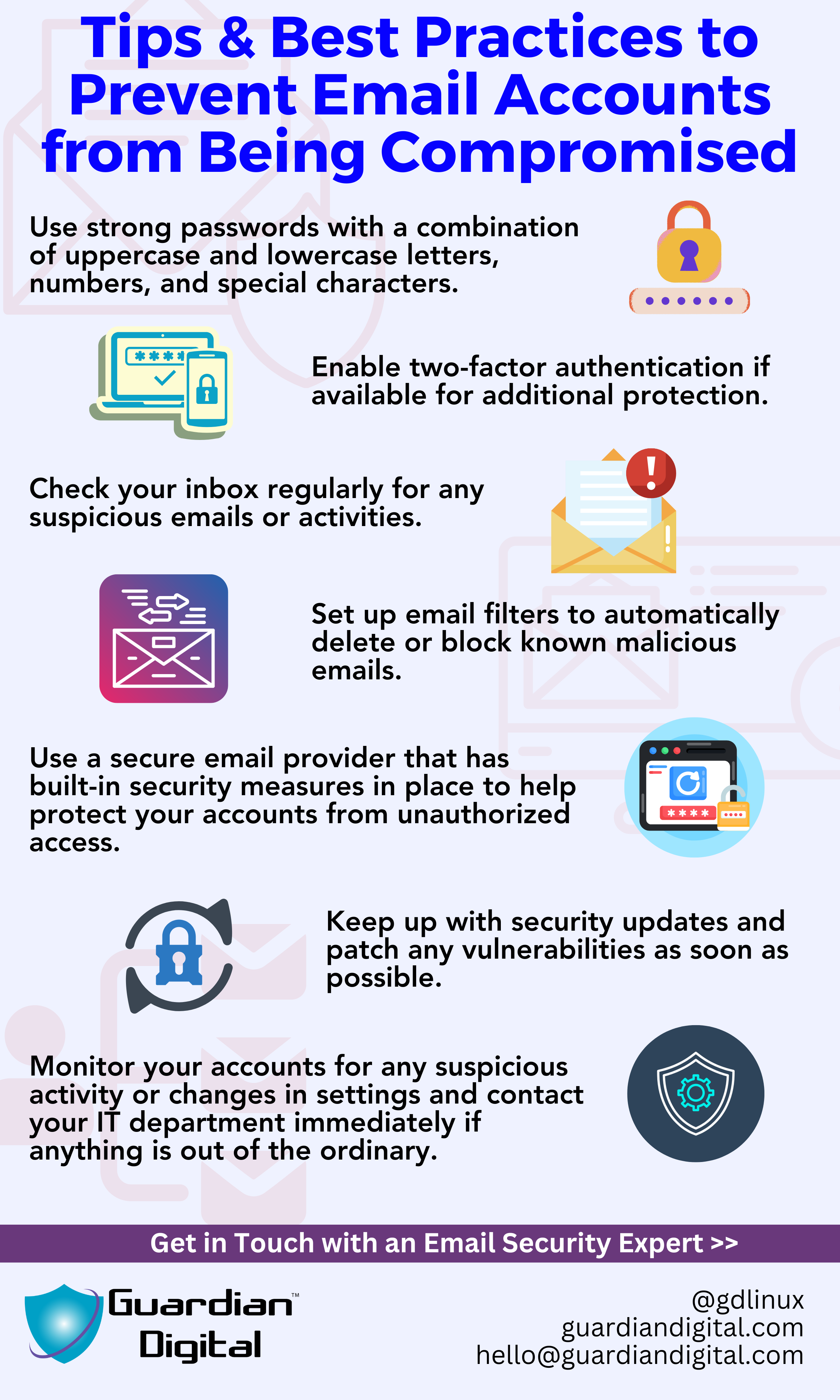
Strong defenses usually include:
- advanced email filtering
- multi-factor authentication
- domain authentication protocols
- continuous employee training
- behavioral anomaly detection
- phishing simulations
- vendor verification procedures
Security awareness still matters because attackers continue adapting faster than static controls. One rushed approval or one compromised account, can bypass expensive tooling surprisingly fast.
Frequently Asked Questions
What is trap phishing, and how does it lure victims?
The attacker creates urgency around something routine. Missed package notifications, MFA expiration notices, fake payroll alerts, and voicemail links. The victim reacts before slowing down enough to question it.
Can trap phishing affect mobile users the same way it targets desktop users?
In some ways, mobile users are easier targets. Smaller screens hide domains, sender details, and redirects that would stand out immediately on a desktop.
How do attackers set up fake websites for trap phishing?
Usually with lookalike domains or compromised websites. Some campaigns even host phishing pages through legitimate cloud platforms because security tools are less likely to block them immediately.
How do criminals spoof a legitimate email address to commit CEO fraud?
Sometimes the domain is fake. Sometimes the mailbox is real because an executive account was already compromised earlier in the attack chain.
Related Reading


 PREVIOUS
 NEXT
NEXT 
In this article
Stay Informed with Our Latest Insights
- Why Email Thread Hijacking Makes Compromise Harder to Detect
- Calendar Phishing Attacks: How Malicious Invites Bypass Email Defenses and Change Enterprise Risk
- SaaS Attacks and Email Security: How SaaS Platforms Became the Delivery Layer
- Data Leaks from AI-Generated Code Are Fueling Email Breaches
- How to Protect Your Business Against Spear Phishing: A Defense Playbook

Join Our Community
of Readers!
Must Read Blog Posts
- Phishing Scams in 2026: The Rise of AI and Deepfake Risks
- Understanding Email Viruses: Detection, Prevention, and Security Strategies
- Effective Phishing Protection: Strategies and Training for Businesses
- Essential Ransomware Strategies for Effective Business Protection
- Maximizing Email Security: Advanced Strategies for Threat Defense
- Microsoft 365 Phishing: Why Attacks Still Reach Inboxes and How to Stop Them