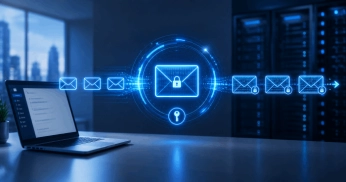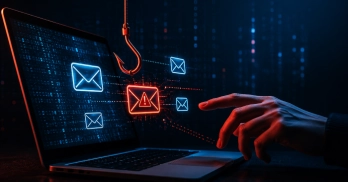
Rather than relying on employees to determine whether a URL is legitimate, URL Defense analyzes links embedded within email messages and evaluates whether they pose a risk. Depending on the platform, that may include threat intelligence lookups, destination website analysis, credential theft detection, and real-time inspection when a user clicks.
The need for this protection continues to grow because many phishing campaigns no longer depend on malware attachments. The link itself becomes the delivery mechanism.
A typical attack may direct users to:
- A fake Microsoft 365 login page
- A fraudulent banking portal
- A malware-hosting website
- A credential harvesting page
- A compromised website controlled by attackers
The email often looks legitimate. The destination doesn't.
URL Defense Checks Invisible Risks
Reading a URL before you click the link is always a best practice, but URL defenses catch risks users can't see from a quick examination.
Why Is URL Defense Important for Modern Threats?
Because attackers increasingly use links as the entry point into an organization.
Many security discussions focus on malware, but a large percentage of successful attacks begin with stolen credentials. A phishing email arrives, a user clicks a link, and the attacker gains access to an account. No malware. No exploit. Just access. That access can be enough.
Once inside an email account, attackers can monitor conversations, create forwarding rules, impersonate employees, and expand their reach throughout the organization. The mailbox becomes a foothold.
Phishing attacks, email scams, and ransomware campaigns often start with a URL.
The link doesn't need to deliver malware. It may point to a fake Microsoft 365 login page, a spoofed company portal, or a compromised website. The attacker gets valid credentials and starts working from there. Then the attacker starts working from inside the environment.
That's what makes URL defense difficult. Domains can be registered and abandoned quickly. Infrastructure changes. URLs disappear before blocklists have time to catch up.
Why Is URL Defense Important Even with Antivirus Protection? 
Antivirus software and URL Defense solve different problems.
Traditional antivirus tools focus on malicious files after they reach a device. URL Defense works earlier in the attack chain by preventing users from reaching dangerous websites in the first place.
That distinction matters because many successful attacks never involve malware. For example, a spear phishing attack may do nothing more than steal credentials. The attacker signs in, reads email, resets passwords, and starts moving through connected services.
Ransomware operators use the same approach. They get access to an account, spend time inside the environment, and deploy ransomware later. Stop the malicious URL, and the intrusion may never get that far.
Security Control | Primary Focus |
Antivirus Protection | Detecting malicious files and executables |
URL Defense | Blocking malicious websites and phishing destinations |
Advanced Threat Protection | Detecting emerging and unknown threats |
The strongest security programs use all three.
Can Email Links Cause Viruses or Malware?
Yes. Clicking a malicious link can lead to malware infections, credential theft, ransomware attacks, and account compromise.
Opening an email alone is usually not enough to infect a device. The risk begins when users interact with content inside the message.
Attackers frequently use links to:
- Download malware
- Deliver ransomware
- Redirect users to phishing pages
- Collect usernames and passwords
- Launch browser-based attacks
Many forms of email malware now arrive through URLs rather than traditional attachments. The attacker hosts the payload elsewhere and uses the email simply as a delivery vehicle.
NOTE: Attackers are also increasingly using QR code phishing campaigns to direct users to malicious destinations without requiring a traditional clickable URL.
Virus Risks from Clicking Email Links
The idea that malware only arrives through email attachments is outdated.
Many infections begin with a URL. The user clicks a link, reaches a compromised website, and downloads what appears to be a legitimate file. Once the file runs, the system is infected. Some attacks skip the download altogether and attempt to exploit the browser directly.
Human Error in Malicious Link Clicks
Most malicious link clicks don't happen because a user ignores a warning or knowingly takes a risk. They happen because the user believes the email is legitimate.
An employee receives what appears to be a routine business message, clicks the link, and follows the instructions. The email looks legitimate, the login page looks legitimate, and nothing immediately stands out as suspicious.
That is why phishing attacks continue to work. A single message can expose credentials, sensitive data, or access to internal systems.
How URL Rewriting Protects Against Malicious Links
Many email security platforms use URL rewriting as part of their protection strategy.
URL rewriting replaces the original destination with a monitored URL that can be inspected before a user reaches the website.
This allows security systems to evaluate the destination when the link is clicked rather than relying entirely on checks performed when the email first arrived.
That matters because attackers frequently change destinations after delivery. A URL that appears harmless in the morning may host a phishing kit by the afternoon. Real-time inspection helps close that gap.
The Limits of Basic Link Protection
Not all URL protection technologies provide the same level of visibility.
Some solutions rely primarily on reputation databases and known threat feeds. Those tools remain valuable, but they struggle with newly registered domains, compromised websites, and phishing infrastructure that changes every few hours.
Attackers know this.
When one domain gets blocked, another appears. The campaign continues.
Multi-Layered Email Protection
URL Defense is strongest when combined with additional layers of defense.
Security Layer | Purpose |
URL Defense | Blocks malicious destinations |
Threat Intelligence | Identifies known malicious infrastructure |
Credential Theft Detection | Detects phishing pages |
Malware Analysis | Identifies malicious downloads |
Advanced Threat Protection | Detects emerging threats |
The objective isn't simply blocking a link. It's disrupting the attack before the attacker gains access.
Why Hovering Over Links Is Not Enough
Because attackers have become much better at disguising malicious destinations.
For years, users were told to inspect URLs before clicking. The advice still has value, but modern phishing campaigns rarely rely on obvious fake domains.
A phishing page may use:
- Lookalike domains
- URL shorteners
- Redirect chains
- Compromised websites
- Typosquatted domains
The destination can appear legitimate at first glance, particularly when attackers copy branding, login pages, and workflows users already trust.
Is Hovering Over Links Enough to Detect Malicious URLs?
No. Hovering over a link should be treated as a useful habit, not a primary security control.
Understanding how to recognize spam emails can also help users identify suspicious messages before clicking. The problem is that many modern phishing campaigns don't look suspicious.
A domain may differ from the legitimate site by a single character. The page may use the same logo, login prompts, and design users see every day. Unless someone is carefully inspecting every detail, the attack succeeds.
Organizations should continue training employees on how to prevent phishing attacks by identifying suspicious emails, but technology has to carry part of the burden. Expecting users to correctly identify every malicious URL is unrealistic, especially at scale.
Does URL Defense Also Scan Email Attachments?
Not directly. URL Defense focuses on links embedded within email messages. However, modern attacks rarely rely on a single technique.
A phishing campaign may include malicious URLs, dangerous email attachments, credential theft pages, or all three within the same message.
Because of this, most modern cloud email security platforms combine URL inspection with:
- Attachment scanning
- Malware analysis
- Phishing detection
- Threat intelligence
- Advanced threat protection
Looking at URLs alone leaves gaps. Effective protection requires visibility across the entire message and everything connected to it.
Why Should URL Defense Be Paired with Advanced Threat Protection?
Because attackers change faster than blocklists.
A phishing domain may appear in the morning and disappear by the afternoon. Credential harvesting sites are routinely abandoned and replaced once security vendors begin blocking them.
- The infrastructure changes.
- The tactics change.
- The objective stays the same.
Traditional reputation databases only know about domains that have already been identified and classified. That works until a phishing campaign registers fresh infrastructure and starts sending messages before anyone has time to flag it.
This is where URL Defense and Advanced Threat Protection become important. Instead of waiting for a reputation score to catch up, they can inspect links and other indicators for signs of malicious activity, including phishing attacks and malware delivery attempts.
How Guardian Digital EnGarde Protects Against URL-Based Threats
Attackers don't send malicious links simply to generate clicks. They're trying to gain access.
Sometimes the destination is a phishing page. Sometimes it's malware. In other cases, the goal is account compromise through stolen credentials. Once attackers gain access to a mailbox, they can monitor conversations, impersonate employees, and launch additional phishing attacks from trusted accounts.
Guardian Digital EnGarde Cloud Email Security helps stop those attacks before users interact with them. Links are evaluated alongside other indicators within a message, helping identify phishing campaigns, malicious destinations, and credential theft attempts before they reach the inbox.
URL Defense works best when combined with a broader security strategy. By pairing URL analysis with advanced detection technologies and established email security best practices, organizations can better defend against attacks that increasingly depend on links rather than attachments.


 PREVIOUS
 NEXT
NEXT 
Other FAQs
- Exploring Malicious Code Risks: Strategies for Email Safety
- Proven Strategies for Effective Malware Removal on Windows Computers
- Why Outsourcing Email Security is Critical for Modern Businesses
- Comprehensive Guide to Safeguarding Against Domain Spoofing Threats
- Effective Strategies to Combat Insider Threats in the Workplace
- Strategies for Email Authentication to Counter CEO Impersonation
- Critical Factors for Selecting Email Security Solutions in Business
- Harnessing Managed Security Services for Enhanced Cybersecurity Vigilance
- Effective Penetration Testing Techniques for Cybersecurity Enhancement
- Managed SIEM Solutions: Boosting Email Security for Small Businesses

Join Our Community
of Readers!